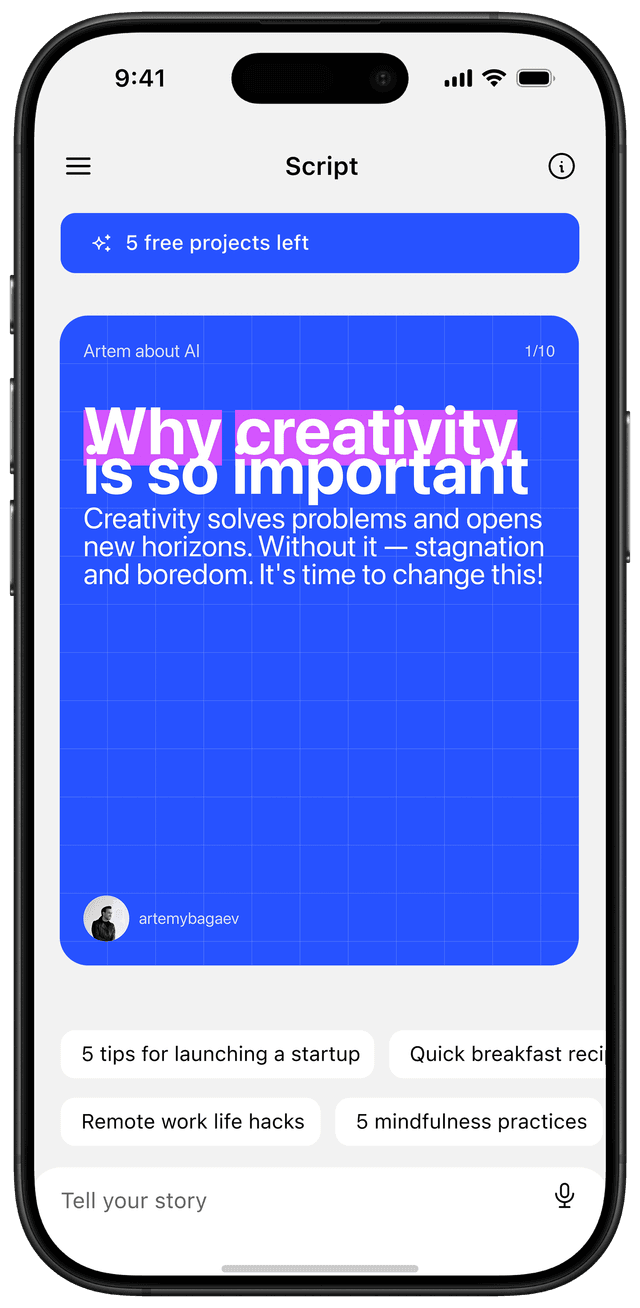

The cleanest reason to transcribe an Instagram Reel in 2026 is not the transcript itself. It is what you do with it next. A transcript is a starting point — for a carousel, a blog post, a thread, or a teardown of why a competitor's Reel actually worked.
Most "how to transcribe a Reel" guides stop after step three (paste link, click button, download text). That is the boring part. The interesting part is what comes after, and that is what this guide covers.
Why transcribe a Reel in the first place
Four use cases worth doing, in roughly the order most creators try them:
- Repurpose your own Reel into a carousel. A 30-second Reel script, transcribed and reorganized, is roughly enough copy for an 8-slide carousel. Carousels out-reach Reels for educational content, so this is the highest-leverage move.
- Study what works on a competitor's viral Reel. The transcript shows you the hook, the pacing, and the payoff in plain text — easier to reverse-engineer than rewatching the video five times.
- Write a blog post or LinkedIn post from a Reel you already filmed. You did the thinking once; reuse the script across formats.
- Make a Reel accessible. Captions plus a transcript on the post itself help viewers who watch on mute (most do) and unlock reach to viewers who use screen readers.
The use case I see least often but value most: building a personal swipe file. Save transcripts of every Reel that hooks you. Six months in you will spot patterns in language, structure, and pacing that no creator-economy tweet will tell you about.
How to transcribe an Instagram Reel in under a minute
Three free tools that work in 2026, ranked by how cleanly they handle the edge cases.
Tool 1: Dictationer (best for speed)
Paste the Reel URL, click Start. Done. No login, no upload. Works on Reels with background music because it filters audio to voice. Up to 98% accuracy on clear audio in our tests, drops to 88-92% on noisy or accented audio.
Use this when you just need the words and nothing else.
Tool 2: Notta or Speak AI (best for analysis)
Paste the URL, get back a transcript with speaker labels, timestamps, and an automatic summary. Notta's free tier allows a few minutes of audio per day, which is enough for typical Reel use.
Use this when you want timestamps so you can map specific phrases to specific moments in the video.
Tool 3: Kapwing or OpusClip (best for clip repurposing)
These tools transcribe AND let you generate captions burned into a downloaded version of the Reel. Bigger jump in capability, bigger time investment.
Use this when you need the transcript AND want to clip a section into a separate piece of content.
If you cannot get a Reel link to work in any of the three above (private accounts, region locks), record the Reel as a screen capture on your phone and upload the file directly to any of these tools. Slower path, same result.
What you actually do with the transcript
This is the step almost no guide covers, which is why most transcripts end up in a Notes app and never become anything.
Repurpose into a carousel
Take a 30-second Reel transcript and split it into three buckets: hook, body, payoff. Map each to slides:
- Hook (slide 1): the first sentence of the transcript, sharpened. Add tension or a number.
- Body (slides 2-7): one idea per slide, pulled from the middle of the transcript. Strip the connective tissue ("and then I was going to say...") and keep the substance.
- Payoff and CTA (slides 8-10): the conclusion of the transcript plus a save or share prompt.
If you find the Reel had no payoff (most do not), now you know — and you can write one specifically for the carousel format. This is the part that turns "repurposing" into a creative act instead of a copy-paste.
For a complete walkthrough of the carousel side, see our practical guide to designing carousels that go viral.
Build a competitor teardown
Pick a viral Reel in your niche. Transcribe it. Then annotate the transcript with three tags:
[H]— hook[C]— claim or specific detail[CTA]— call to action
You will quickly see why some viral Reels have only one hook and others stack three. You will see how often pros use specific numbers, named callouts, and visible promises. You will spot the "swipe-to-see" structure even in audio-first content.
Do this for ten Reels and you will internalize hook patterns better than from any course.
Cite the original (the ethics part)
Repurposing a transcript of someone else's Reel into your own content without attribution is a fast way to build a small audience that resents you when they find out. Two rules:
- If you are summarizing or reacting, credit the original creator in the caption with a tag and a link. Saves you from a public dunk and usually buys goodwill.
- If the content is not yours, do not copy whole phrases verbatim. Restate in your voice. The transcript is a starting point, not a finished asset.
This is the same etiquette that holds for any content repurposing workflow, and it is the difference between a creator who compounds and one who burns out the goodwill of their niche in a quarter. If you are weighing tools to do the actual carousel work, our comparison of carousel maker apps covers the trade-offs.
Common transcription mistakes
Things that bite people once:
- Trusting accuracy without scanning. AI transcription is 95-99% accurate on clean audio. The 1-5% failure rate is concentrated in proper nouns and technical terms. Always scan once.
- Forgetting punctuation. Most tools drop punctuation in noisy audio or stitch run-on sentences. Skim and re-punctuate before you do anything else.
- Skipping the cleanup step before LLM input. If you feed a raw, unpunctuated transcript to ChatGPT or Claude to "rewrite as a carousel," you will get worse output than if you spend 90 seconds cleaning the transcript first.
- Pasting the URL of an Instagram post instead of a Reel. Some tools accept both, some only Reels. If you get an error, check that the URL contains
/reel/not/p/.
From transcript to carousel: the 3-minute workflow
- Transcribe the Reel (60 seconds with Dictationer).
- Punctuate and condense the transcript to 80-120 words (60 seconds).
- Drop the cleaned text into a carousel maker and split into 8-10 slides (60 seconds with a voice-to-carousel tool, longer in Canva).
If you want to compress this further, Reframe accepts a transcript directly and produces a designed 8-slide carousel from it. That collapses steps 2 and 3 into a single action, which matters when you are doing this five times a week instead of once.
When transcription does not help
Three Reel types where the transcript does not capture the value:
- Sound-driven Reels. Lip-sync, music-led, or audio-trend Reels. The transcript gives you nothing because the audio was the content.
- Highly visual demonstrations. Cooking videos, fitness form, makeup tutorials. The words explain, but the picture is the lesson.
- Charisma-led personality Reels. A creator's voice and timing carry the post. You can transcribe it, but you cannot transplant the delivery.
For these, write fresh content rather than repurposing. The transcript is a tool, not a magic button.
What to do this week
- Pick three of your own Reels from the last 60 days. Transcribe them.
- Take the best-performing one and convert it into a carousel using the hook/body/payoff split.
- Pick one viral Reel in your niche. Transcribe and annotate it with
[H],[C],[CTA]tags. Save it to a swipe file. - Schedule 30 minutes a week to do this for the next month. By month's end you will have 12 carousels from existing video work plus a swipe file of 4-8 hooks worth borrowing structure from.
That is the whole loop. The transcription tools are commodity. The judgment about what to do with the transcript is what compounds.
Frequently asked questions
How do I transcribe a Reel that is not mine?
Paste the public Reel URL into Dictationer, Notta, or Kapwing. If the account is private or region-locked, record the Reel as a screen capture on your phone and upload the file directly. Always credit the original creator if you use the transcript publicly.
Are AI transcripts accurate?
On clear audio with a single speaker, expect 95-99% accuracy in 2026. Accuracy drops on noisy backgrounds, heavy accents, and proper nouns. Always scan once before using a transcript downstream.
Can I copy someone else's Reel transcript verbatim?
No. Restate it in your own words and credit the source. Verbatim copying loses you trust quickly and is easy for anyone to spot via Google search.
What is the best free tool to transcribe Instagram Reels?
Dictationer is the fastest no-login option. Notta is the best free tool for transcripts that include timestamps and a summary. For repurposing into video clips, Kapwing or OpusClip handle both transcription and editing in one place.