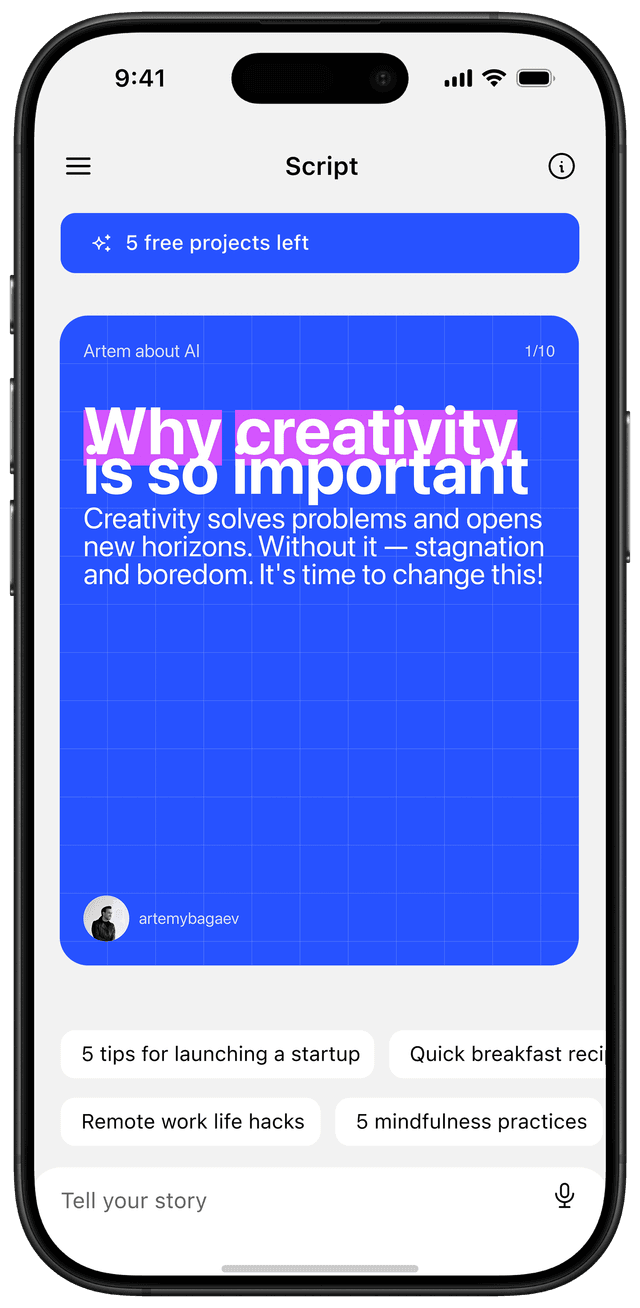
Carousel posts still earn more saves on Instagram than any other native format in 2026, and they're the highest-engaging format on LinkedIn by a wide margin. That hasn't changed since 2022. What has changed is the design bar, the size specs, and the number of creators using AI to crank them out. This playbook is the version I wish existed when I started, written for solo creators who want carousels that actually move audience and revenue, not just impressions.
Why carousels still win in 2026 (the data)
Carousels lead Reels by about 12% on engagement and pull roughly 2x the saves on Instagram. They keep working because the algorithm gives multi-slide posts a second chance: a feed user who scrolled past it once gets re-served the same carousel later if anyone else interacted with it.
The latest 2026 numbers from Socialinsider put carousel engagement at 0.55% versus 0.52% for Reels on Instagram. Reels still beat carousels on raw reach by about 36%, which matters if your goal is discovery. But for the work that actually compounds (saves, shares, profile visits, follows), carousels keep outperforming everything else.
On LinkedIn the gap is wider. Document posts (PDF carousels) hit a median 6.60% engagement rate, with some studies measuring up to 24.42%, a 3.7x multiplier over text-only posts. Dwell time on LinkedIn carousels runs 15-20 seconds versus 8-10 for text or single images, and dwell time is the single biggest signal LinkedIn uses to decide what to push.
The mechanic both algorithms reward is the same: a carousel forces a manual interaction (the swipe) on every slide. Each swipe is a micro-engagement signal. A 9-slide carousel that someone reads to the end is, from the algorithm's perspective, nine engagement events from a single user. Reels and single images get one. That's the structural reason carousels keep outperforming on engagement rate even when raw reach is lower.
For a deeper read, here's why carousels out-reach Reels in 2026, where I covered the algorithm mechanics in a separate piece.
What separates a viral carousel from a forgettable one
Six things, in order of impact: the hook on slide 1, the promise of a payoff, design consistency, a real point of view, a clear CTA, and at least one slide a viewer will want to screenshot.
Most creators only get the first one right. They obsess over slide 1, then the rest is filler. Slide 1 carries roughly 80% of the weight, but slide 2 decides whether the swipe was worth it, and slide 3 decides whether the rest will be worth it. If any of those three crack, you lose the audience.
The "screenshot slide" matters more than people think. Saves are the highest-value metric Instagram tracks for carousel distribution, and most saves happen because a single slide had something a viewer wanted to keep. Make that slide on purpose, not by accident. A checklist, a formula, a calendar, a side-by-side comparison.
If you want a deeper read on the design side, here's my full breakdown of design tactics for viral carousels.
Designing for the swipe: slide-by-slide breakdown
A 9-slide carousel works for almost everything. Cover, hook, three to five body slides, transition, CTA. That's the load-bearing structure.
Slide 1, the cover. Big text, one promise, one visual cue. No author photo, no logo, no "swipe →" indicator (the algorithm shows the dot indicator already). Use 1080×1350 by default. If the source content is taller, Instagram now supports 1080×1440 in 2026 for 33% more vertical space. The catch: every slide in a carousel must share the same aspect ratio, and Instagram locks that ratio to the first slide.
Slide 2, the second swipe. Reframe slide 1's promise as a problem. If slide 1 was "8 ways to write better hooks," slide 2 is "Why most hooks die in the first 3 seconds." This is the slide that decides whether they keep going.
Slides 3 to 7, one idea per slide. Each slide should hold up screenshotted alone. Don't break a single thought across two slides. If you can't say it in 30 words, the idea isn't tight enough yet.
Slide 8, the transition. A summary, a chart, a calendar, or a checklist. This is the screenshot slide. Make it dense with value but visually clean.
Slide 9, the CTA. One ask. Save the post, follow for more, click the bio link. Pick one. Stacking three CTAs kills all three.
Sizes: 1080×1350 (4:5) is the safe default. The newer 1080×1440 (3:4) gives you more vertical real estate and is becoming the default for educational creators. Don't mix ratios within a single carousel.
Visual hierarchy across the deck. One typeface for headers, one for body, no more. Colors: pick three and stick to them across all 9 slides. Background contrast: a single dark/light pattern reads cleaner than alternating slide-by-slide. The carousel should look like one continuous artifact, not nine disconnected images. The fastest way to break this rule is the temptation to "make slide 8 stand out." Don't. Slide 8 stands out because of its content (the screenshot value), not because the design suddenly changes color.
Spacing matters as much as type choice. Padding inside each slide should be at least 80px on a 1080px-wide canvas. Anything tighter and the text feels claustrophobic on small screens, where 90% of viewers will see it.
Hook formulas that earn the first swipe
The hook is the only thing that controls whether anyone reads the rest. Five formulas earn most of the swipes I see in 2026:
The contrarian. "Stop posting Reels. Here's what to do instead." Works because it sets up tension against an assumption the audience already holds.
The before/after split. "I posted 90 carousels in 2025. Here's what actually moved followers, and what wasted my time." Works because it frontloads a specific, time-bound experiment.
The receipt. "This carousel got 1.2M reach. I'll show you the exact 9 slides." Works because it's verifiable. The proof is in the post itself.
The unobvious frame. "Your carousels aren't bad. Your slide 2 is." Works because it specifies a fix the reader didn't know to look for.
The numbered teardown. "12 mistakes I see in 90% of LinkedIn carousels." Works because numbers are filterable. The reader can scan to find their mistake.
Avoid generic motivational hooks like "How to grow on Instagram in 2026." They're invisible because every account already used them. The hook has to be opinionated enough to risk losing some readers, otherwise it doesn't earn anyone.
Instagram vs LinkedIn: same format, different rules
The format is identical. The audience expects different things.
On Instagram, carousels are educational fast food: 8-12 slides, big visuals, big claims, minimal body copy. Read time per slide is 3-5 seconds. The user is half-distracted, scrolling at speed. Make the design carry most of the weight.
On LinkedIn, carousels are mini-whitepapers. 5-15 slides, more body copy per slide, a willingness to read longer thoughts, and a much higher tolerance for text-heavy design. Dwell time on LinkedIn is double Instagram's because the user is at a desk, in browse mode, often actively looking for ideas to bring to their job. You can put 80-100 words on a LinkedIn slide. On Instagram, anything past 30 words on a single slide gets skipped.
Posting hours also diverge. Instagram peaks evenings and weekends. LinkedIn peaks Tuesday through Thursday between 7am and 10am local time, when professionals are commuting or starting their day.
The hashtag treatment is also different. On Instagram, three to five focused hashtags now beat the 30-tag spam approach the platform itself has signaled it down-weights. On LinkedIn, hashtags barely matter for distribution; what matters is the first line of your post-text caption, because it controls whether someone clicks "see more" before they swipe through the carousel.
Voice-first content: turn ideas into carousels in minutes
The bottleneck for most creators isn't design or strategy. It's the blank canvas. Sitting down to "write a carousel" is fundamentally a writing task, and most people who run accounts aren't writers.
The voice-first workflow inverts that. Instead of typing, you talk. A 60-second voice note about something you actually know becomes the source material. AI tools transcribe the voice, extract the structural beats (hook, three points, conclusion, CTA), and generate slide-ready text. You then refine the text and apply your design.
This works because the voice version captures opinion and specificity that typed first drafts almost never have. When you're talking, you skip the throat-clearing and get straight to the point. When you're typing, you write five paragraphs of context first. Voice draft to carousel is the fastest path I've found from idea to published post: 5-10 minutes versus 45-60 for the typed version.
The category leader for this is Reframe (this is my product, full disclosure). Speak for 30 seconds, get a designed carousel back. Other tools transcribe but stop short of designed slides. Reframe owns the full path from voice to ready-to-post.
A concrete walkthrough. You hit record. You ramble for 45 seconds about something you've been thinking about, say, why most onboarding flows fail because they treat first-time users like power users. The transcript goes through a structuring step that pulls out the hook, the three reasons, the concrete fix, and the takeaway. The slide layout pulls in your brand colors and typography. You spend three to five minutes refining the wording, swap one image, and ship. Total elapsed time: under ten minutes. That same idea, typed from scratch, takes most creators an hour because the writing tax compounds with the design tax.
Repurposing video into carousels (without copying)
Every video you've already made is a carousel waiting to be cut. The mistake most creators make is trying to turn the whole video into a carousel. That's how you end up with 18 slides nobody finishes.
The workflow that works: pull the transcript, find the one section that holds up as standalone, build a 9-slide carousel around just that section. A 12-minute YouTube video usually has two or three carousel-worthy moments inside it. Each becomes its own post.
Tools to grab transcripts: Otter, Descript, Whisper, ScreenApp. Reframe pulls transcripts directly from a YouTube URL or Reels link and feeds them into the carousel generator in the same step.
Don't quote yourself slide-for-slide. Compress. Voice tone in video is loose. Carousel tone is tight. Cut adjectives, cut intros, cut anything that isn't a verb or a number. Then add the visual cues video had (pauses, gestures, emphasis) by using bold, color, and slide breaks.
A useful constraint: the carousel version should be readable in under 60 seconds, even though the source video might be 10 minutes. If your draft takes longer to read than that, you're carrying over too much from the video and not enough is being compressed into the visual layer.
Tools: free, paid, AI-assisted
The market splits into three buckets in 2026.
Free design-first. Canva is the easiest start. It has the carousel-specific templates, a mobile editor that works, and a free tier that covers a beginner's first month. Adobe Express is the closest free competitor with cleaner default typography. Figma is overkill for carousels but the right call if you already use it for other design work.
Paid creator-focused. PostNitro, Contentdrips, aiCarousels, and Taplio (LinkedIn-only) sit in the $19 to $49 per month range. They specialize in carousel-specific features: bulk slide editing, brand kits that actually save time, scheduling built in, and templates designed for the format rather than generic social posts.
AI-assisted voice-to-carousel. This is where the market changed in 2025-2026. Reframe (voice-first), Supergrow, and a handful of newer entrants generate the entire carousel from a voice note, transcript, or article URL. The output is a starting point, not a finished post, but it cuts the blank-canvas tax to near zero.
For a more detailed comparison, I covered the full landscape in my best carousel maker apps in 2026 breakdown.
The pick depends on your bottleneck. If you can't design, start with Canva. If you can design but can't write, start with a voice-first tool. If you can do both but are slow, paid creator tools save the most time.
A budget rule of thumb. If you're posting fewer than 4 carousels per month, stay free. If you're posting 4-12, one paid tool ($19-29/mo) pays for itself in saved time. If you're posting weekly or more, two tools start to make sense: one for design (Canva Pro or a creator-focused tool) and one for the writing/ideation step (a voice-first or AI assistant). Stacking three tools is overkill unless you're running multi-account agency work.
Posting cadence and scheduling
Two to three carousels per week is the sweet spot for solo creators. Daily is achievable, but only with batch creation and one of the AI tools above. Below two per week, the algorithm under-distributes you because it can't tell whether you're an active account.
Batch creation is the multiplier. Pick one day per week, write four carousels in a session, schedule them. Buffer, Later, and Hootsuite all support carousel scheduling natively in 2026. Meta's own Creator Studio works but is rougher than the third-party options.
Don't post the same content to Instagram and LinkedIn the same day. The audiences overlap less than you think, and the algorithms penalize cross-posting if the format and copy are identical. Stagger by 2 to 3 days, and rewrite the body copy for the platform.
Measurement: what to track, what to ignore
Track four metrics, in this order: saves, shares, profile visits, and swipe-through rate. Ignore likes, comments, and follower count from a single post.
Saves are the highest-value signal because they correlate with re-distribution. A high-save carousel gets pushed back into the feed days later, and again sometimes weeks later.
Shares are the second signal. Shares to DM specifically are the strongest follow-conversion event Instagram tracks. Someone cared enough to send your post to one specific person.
Profile visits measure intent. The carousel did its job if a viewer cared enough to click through to your profile.
Swipe-through rate is your design report card. If under 60% of viewers swipe past slide 1, your hook is broken. Under 80% reaching the last slide means the middle is sagging.
Concrete benchmarks for a creator under 50K followers in 2026: aim for at least 5% saves-per-reach on educational carousels (5 saves for every 100 people reached). Solid posts hit 8-12%. Anything above 15% is a viral signal and should be studied. Shares should run 1-3% of reach. Profile-visit rate of 2-4% is healthy. If a carousel reaches 10K accounts and earns fewer than 50 saves, the topic or the hook missed; rewrite, don't reshare.
Likes are vanity in 2026. Instagram has buried them in the UI for years now, and the algorithm down-weights them as a signal. Comments matter only if they're substantive. A "🔥" comment is worth roughly nothing.
Common mistakes that kill reach
In rough order of frequency, the seven I see most:
- Slide 1 is a logo or quote. Both are dead on arrival. The cover should be a promise, not a brand asset.
- Inconsistent aspect ratios. Instagram crops to whatever ratio slide 1 sets. If slide 1 is 1:1 and slide 2 is 4:5, slide 2 gets letterboxed and looks broken.
- Tiny text. If text isn't readable on a phone screen at thumbnail size, it isn't readable.
- Stacked CTAs. "Save, follow, comment, click the bio link." Pick one.
- No second swipe. Slide 2 isn't a continuation. It's a re-hook. Most creators forget this.
- Wall-of-text slides. A carousel slide is not a Twitter thread. 30 words max on Instagram, 80-100 max on LinkedIn.
- No screenshot slide. If nothing in your carousel is worth saving, nobody saves it. The single biggest distribution lever you have.
What to do this week
Three things, in order:
- Audit your last 10 carousels. Look at swipe-through rates and saves per follower. Flag the bottom three. What did they do that the top three didn't?
- Write four hooks before you design anything. Use the five hook formulas above. Pick the strongest. Build the carousel around that hook, not the other way around.
- Make one screenshot slide on purpose. A checklist, a formula, a calendar. The kind of slide a viewer would want to keep. Put it on slide 8.
Carousels are still the most underrated format in 2026 for the same reason they were in 2022: the people who do them well are still a minority, even though everyone has access to the tools.
Frequently asked questions
How many slides should a carousel post have?
Eight to twelve slides outperform shorter or longer formats for educational content. Push to 12-20 only for deep guides or storytelling sequences where each slide holds its own.
What's the best size for a carousel post?
1080×1350 (4:5 portrait) is the safest default. Instagram now supports 1080×1440 (3:4) in 2026 for 33% more vertical space, but every slide in the carousel must share the same aspect ratio.
Do carousels still beat Reels in 2026?
Yes for engagement and saves. Carousels lead Reels by about 12% on engagement and 2x on saves. Reels still win on raw reach, by about 36%, which makes them better for new-audience discovery.
Can AI generate good carousels?
Yes, when used as a starting point. Voice-first tools transcribe a quick voice note into slide-ready outlines that you then refine. Treat AI-generated carousels as a draft, not a final post.
What's the most important slide?
Slide 1. It carries roughly 80% of the weight. If it doesn't earn the swipe, the rest of the carousel never gets seen. Slide 2 is a close second because it decides whether slide 1 was worth trusting.
How often should I post carousels?
Two to three per week is the sweet spot for solo creators. Daily is achievable with batch creation and AI-assisted workflows. Below two per week, the algorithm under-distributes you.
Stop staring at a blank canvas. Speak your idea. Reframe turns it into a carousel.